Yeastar Call Flow Designer (CFD), launched in July, lets you create automated call flows without coding. Whether you need to route calls quickly or integrate third-party systems, CFD offers flexibility to meet evolving business needs.
Your First Automation in 5 Minutes
CFD makes setting up a simple flow, such as distributing calls by time or creating a linear menu, quick and intuitive. In just a few minutes, you can configure a linear process or a time-based flow, reducing setup time by 70 %.
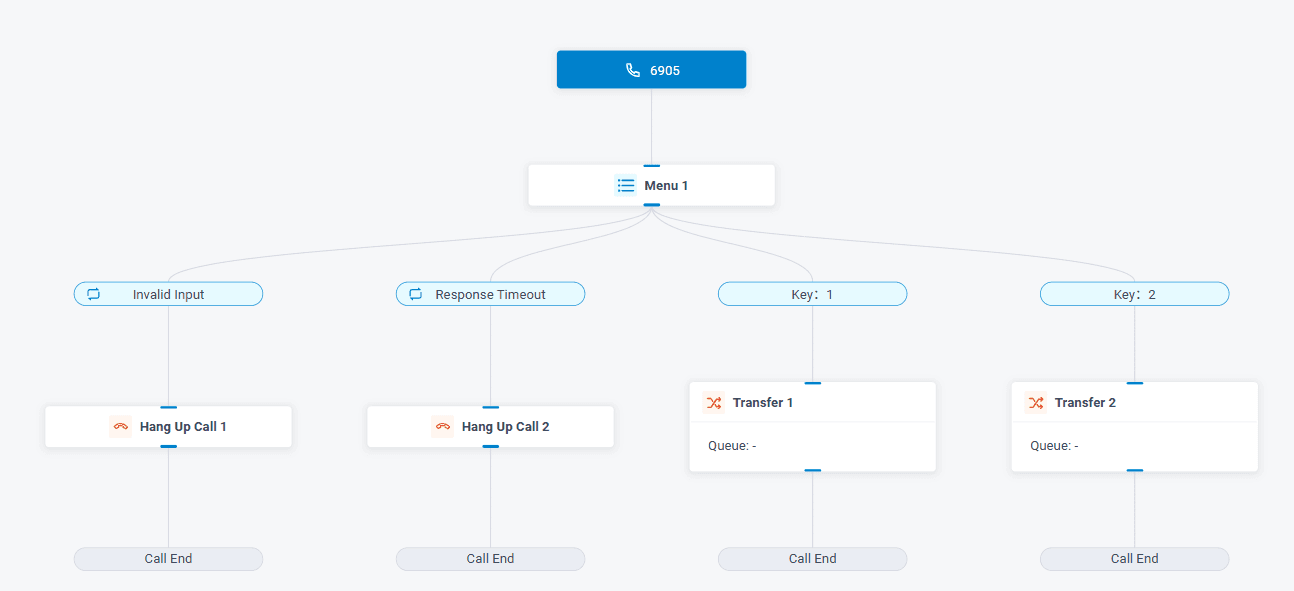
Example 1: Linear Flow
With the “Linear Call Flow” template, you can direct incoming calls to different queues based on the caller’s choice. The process takes three steps: open the interface, configure the menu, and test the flow, delivering an operational result in just a few minutes.
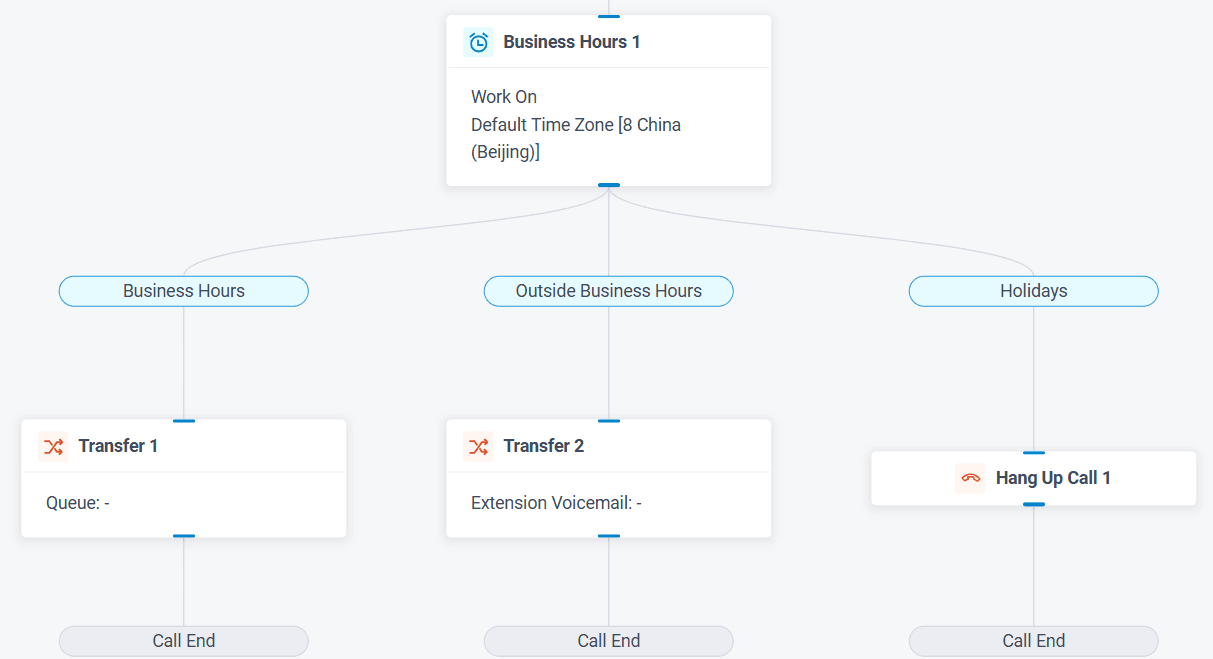
Example 2: Automatic Holiday Switching
The “Time-Based Call Flow” template lets you inform callers of your availability outside business hours and direct them to voicemail or a greeting message. You can even trigger an email notification when a voicemail is left.
Adding Depth: API and Database Integration
CFD offers development components and full API support, making it easy to integrate with CRMs, ticketing systems, or AI tools for more sophisticated flows, such as order lookup or VIP routing.
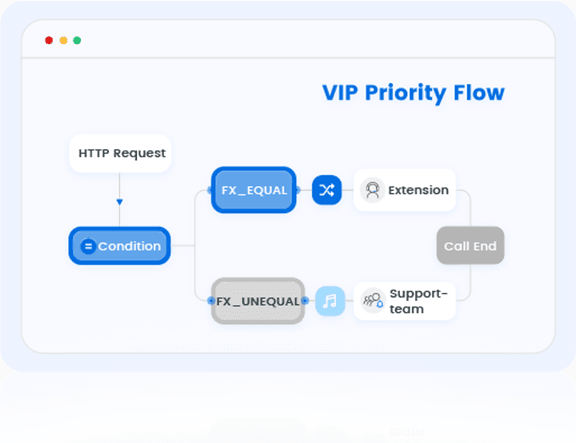
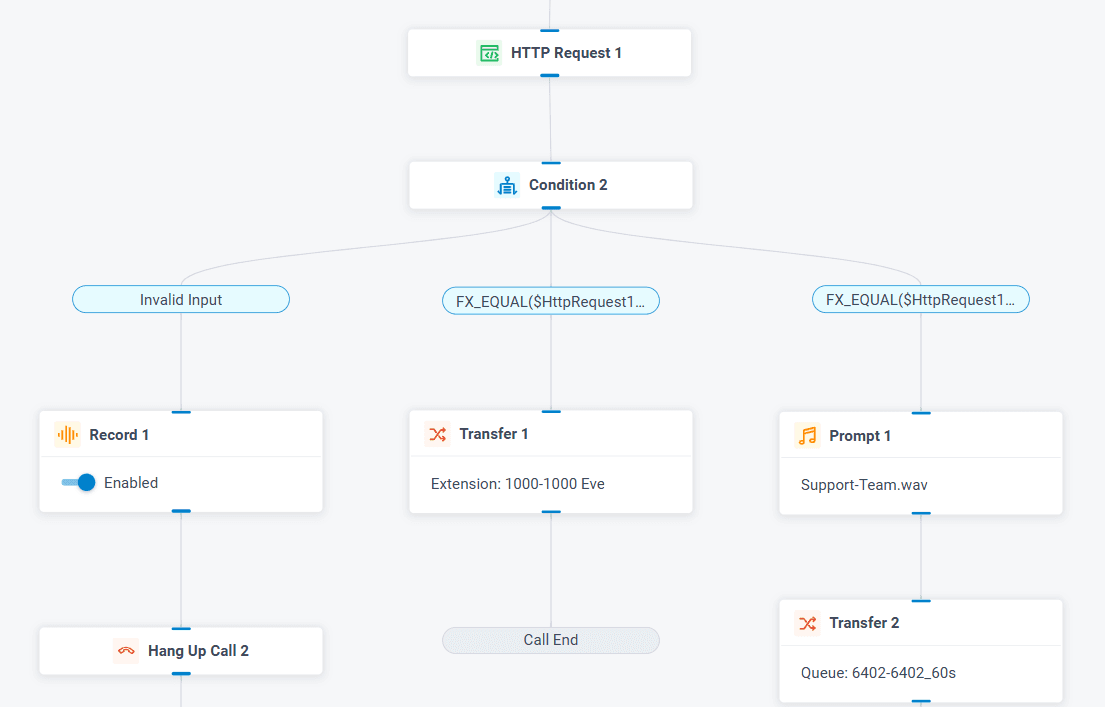
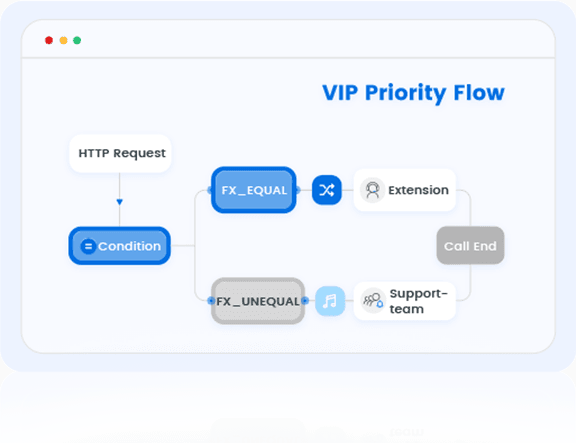
Example 3: VIP Customer Recognition and Priority Routing
By capturing the caller’s number, CFD can query your CRM via HTTP, evaluate the response, and immediately route the VIP customer to their dedicated account manager, while adding a personalized message.
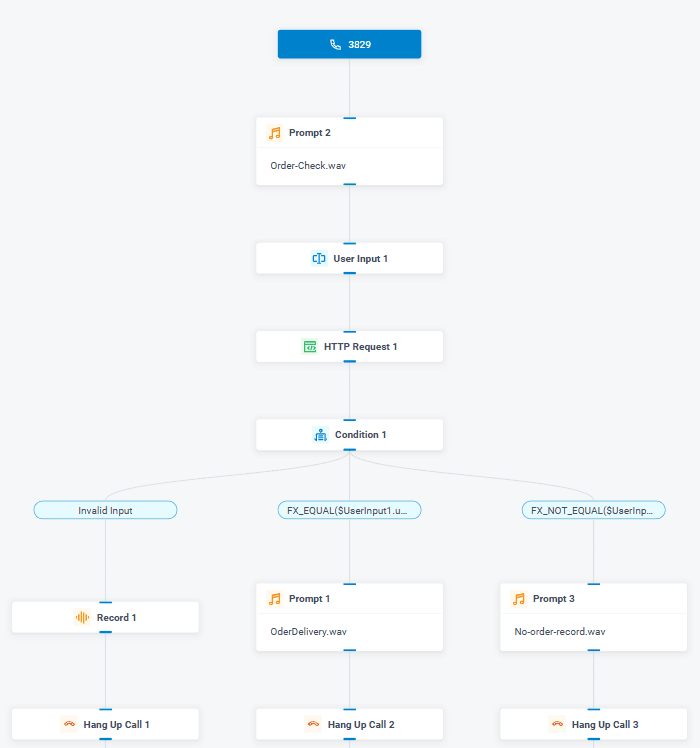
Example 4: Self-Service Order Lookup
CFD can request an order number, query your order management platform, evaluate the response, and provide a voice response or a prerecorded message, without human intervention.
DIY Destinations and Push Action Engine
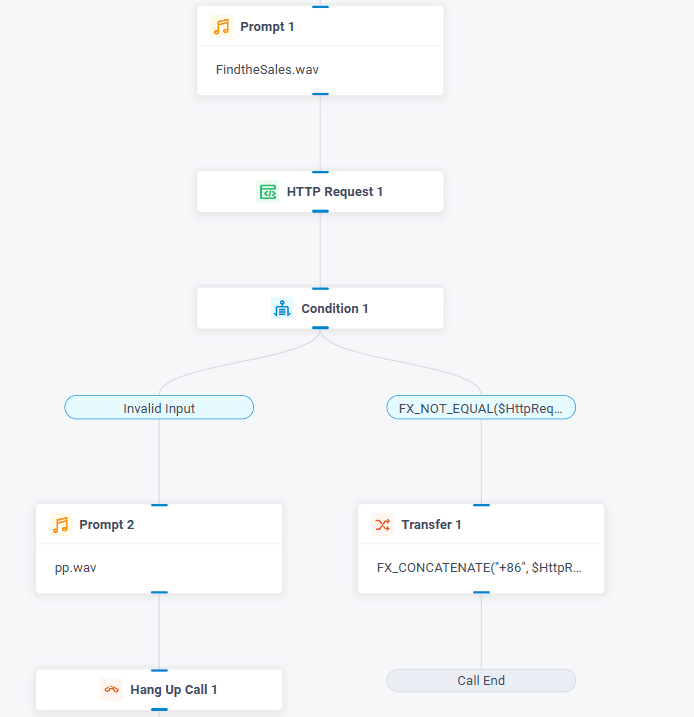
CFD lets you create custom destinations, such as automatically transferring a call to a sales representative identified through your CRM, using HTTP requests and dynamic conditions.
The Yeastar team supports businesses and integrators in assessing their needs, selecting an architecture, and preparing for deployment.