As companies adapt to a hybrid work environment, efficient space management is becoming crucial. Desk booking software lets employees reserve desks in real time while giving managers an overview of space utilization. This article presents the eight key features that make such a system essential for improving productivity and controlling real estate expenses.
- Customizable booking rules
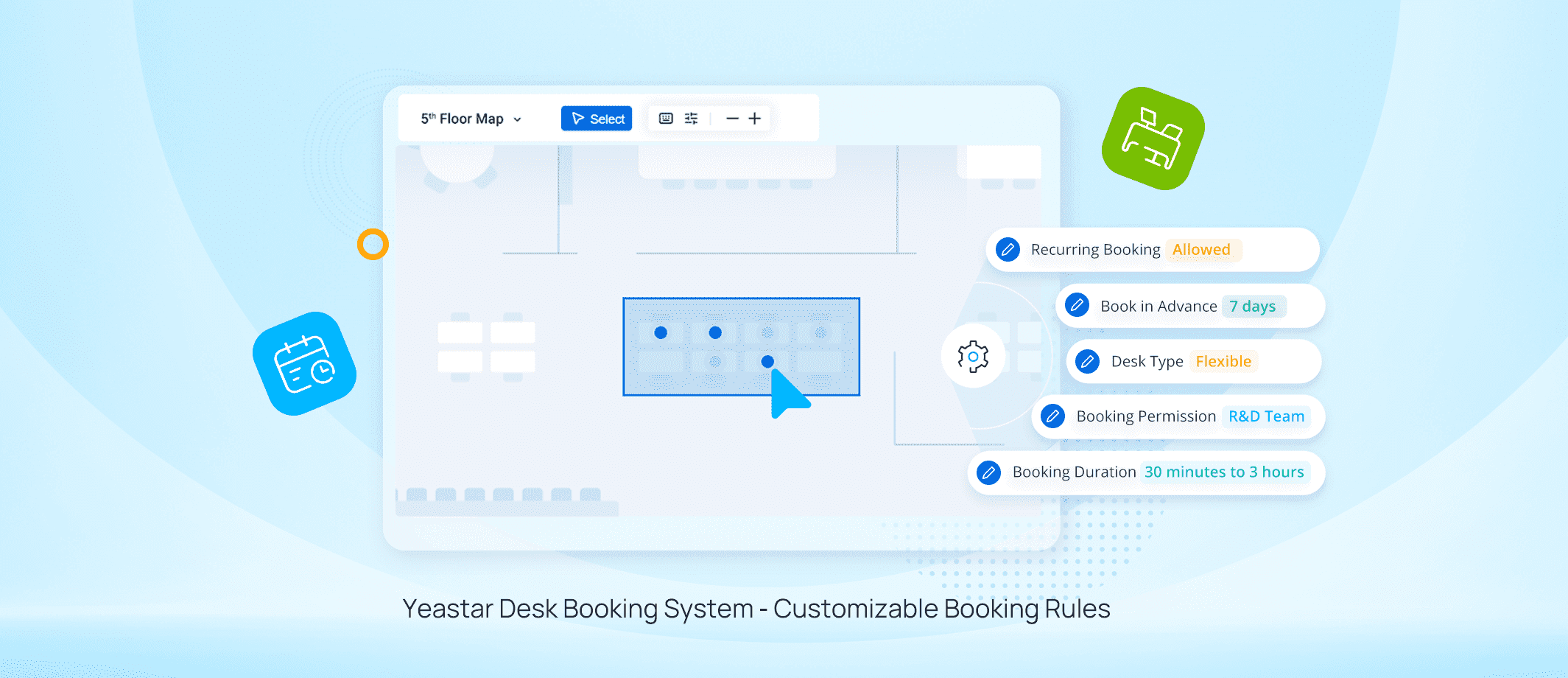
A flexible system lets you set policies tailored to the company’s needs, such as limiting bookings to three days in advance or allowing only one desk per person. It also lets you restrict access to certain spaces by department, promoting optimal use and seamless communication.
- Calendar integration
Employees can book a desk directly from their Google or Outlook calendar, preventing double bookings and synchronizing all data in the centralized system.
- Mobile features
Smartphone or tablet access makes it possible to book a desk at any time, whether going to the office or working remotely, increasing the flexibility of the hybrid model.
- Interactive maps and floor plans
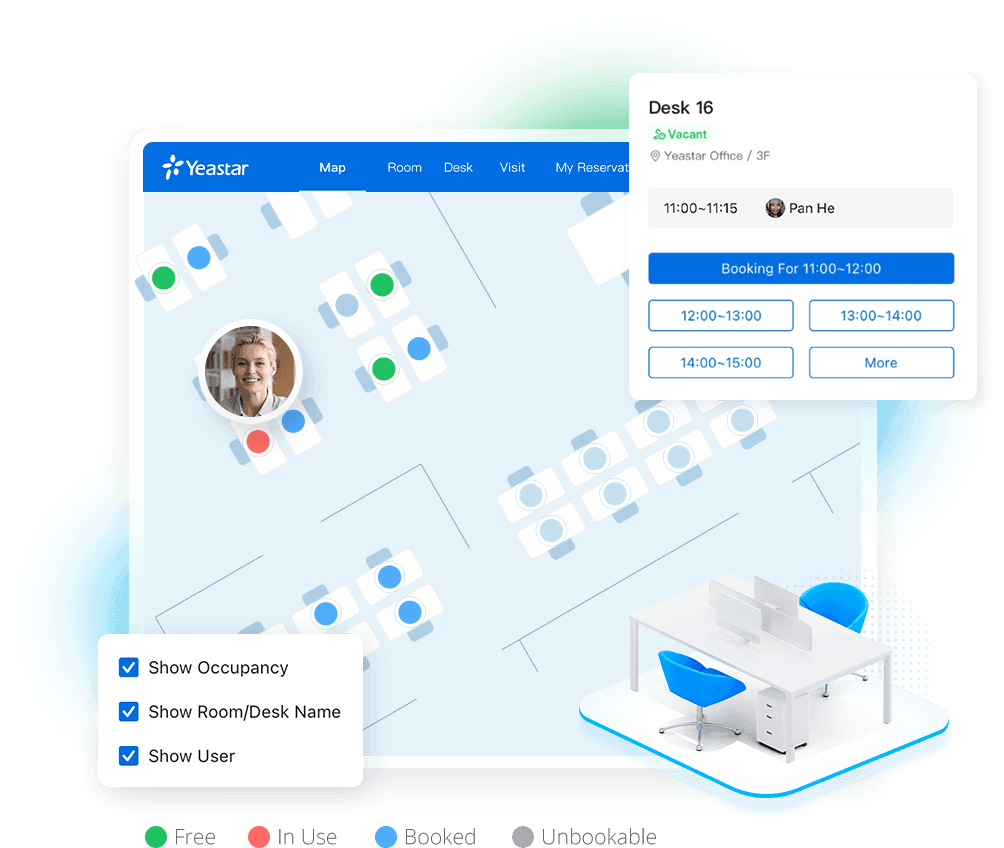
Color-coded visual plans instantly show desk availability and where colleagues are, making it easier to navigate the workspace.
- Real-time occupancy data
Managers can continuously monitor desk usage, identify underused areas, and reallocate resources to maximize efficiency.
- Check-in and automatic release
Bookings not checked into within a predefined time are automatically released, sometimes with the help of occupancy sensors, ensuring optimal desk utilization.
- Desk displays
Displays installed on each desk let users quickly check availability and book with one click, ideal for spontaneous arrivals.
- Reports and analytics
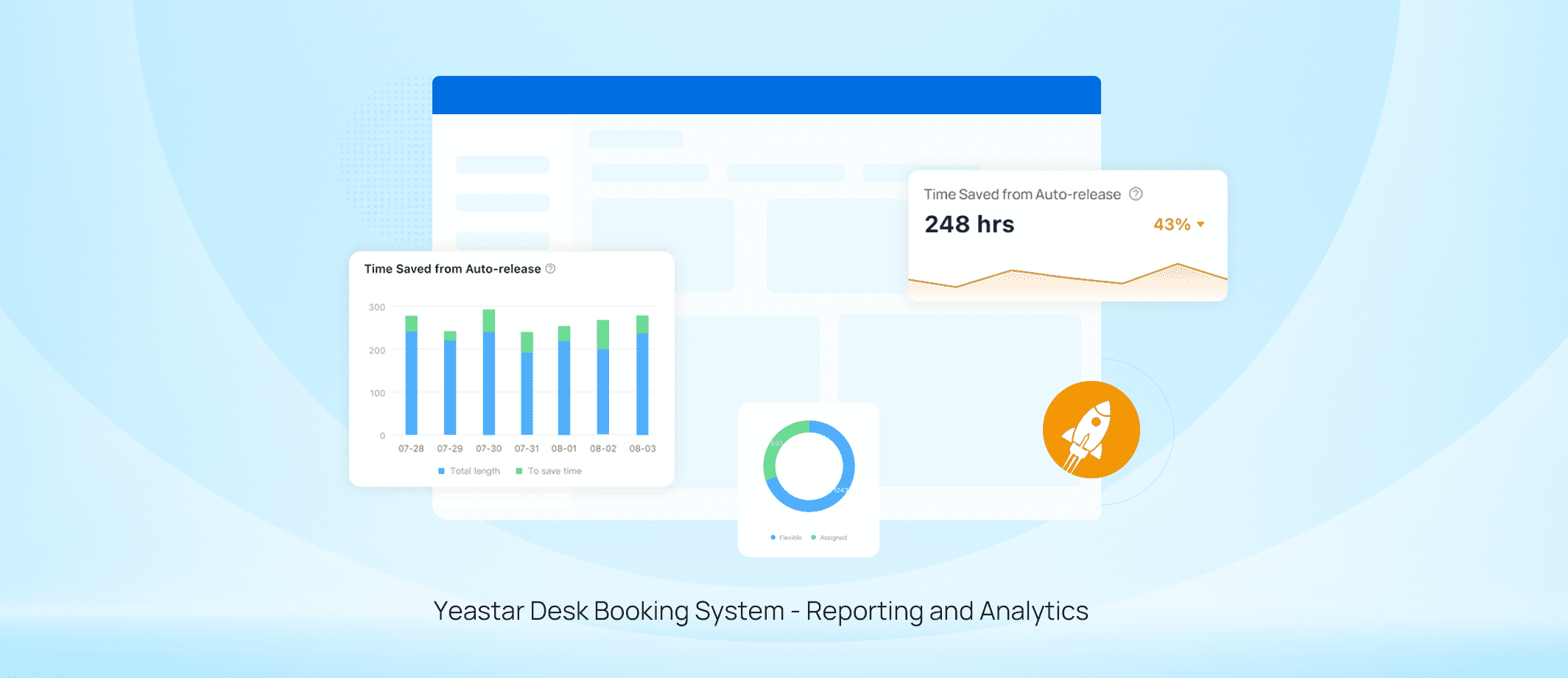
Analytics tools provide insights into usage trends, helping companies adjust workspace layouts, increase productivity, and reduce real estate costs.